Speed up your plant and pipeline design
Vertex G4Plant – Plant and Pipeline Design Software
Superior performance
Vertex G4Plant is a versatile plant and piping design software that keeps you where your competitors are clotting. Thanks to Vertex’s new 3D graphics engine, working with large 3D models is now much faster than before. In addition, up to 100 designers can collaborate on the same 3D project, and the software runs on more than 10 GB size of plant models.
One tool does it all
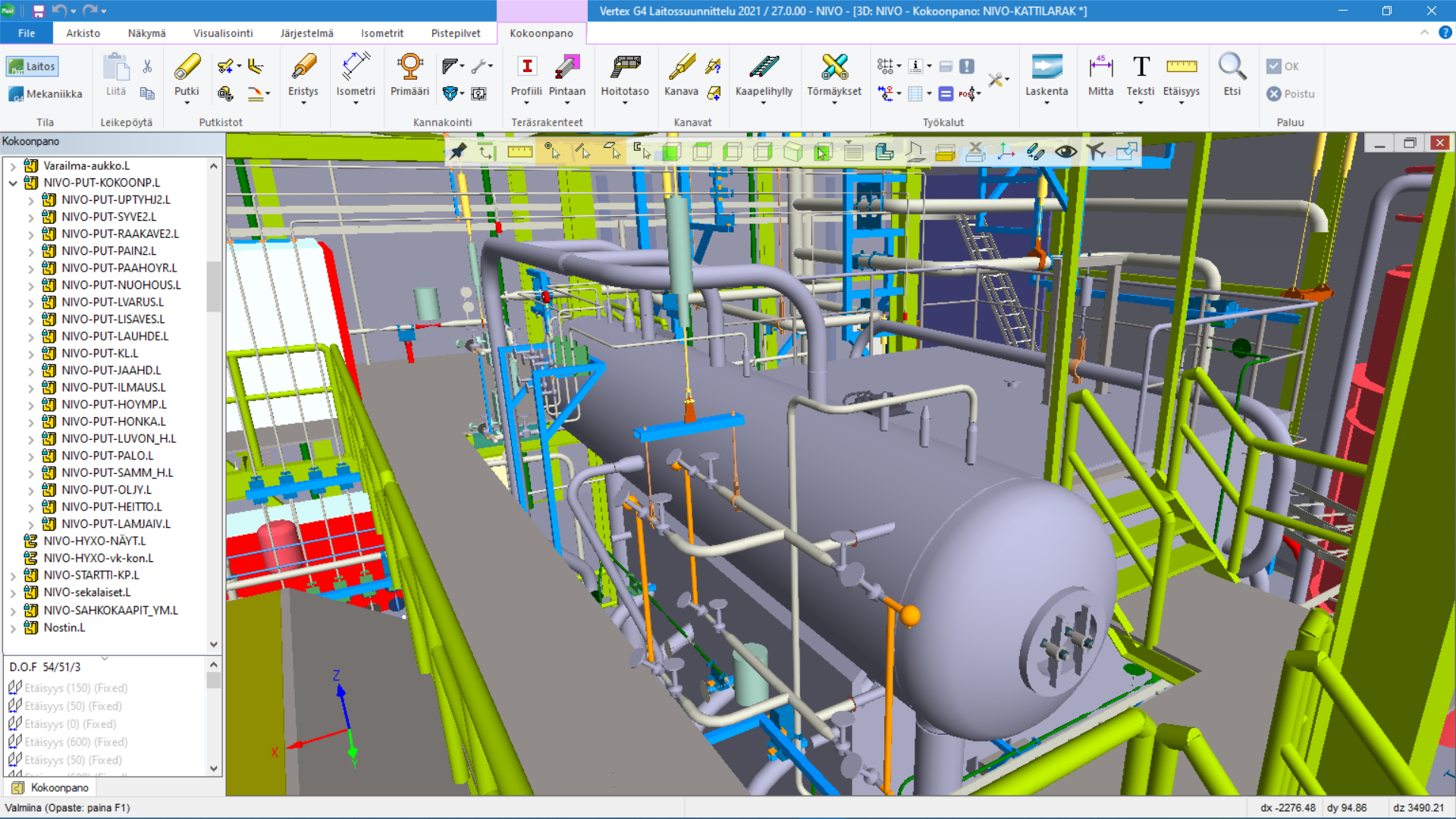
The speed of plant design and modeling in Vertex G4Plant software is based on powerful special functions in different areas. They allow you to quickly design even large facilities and related equipment and structures.
Seamless interplay
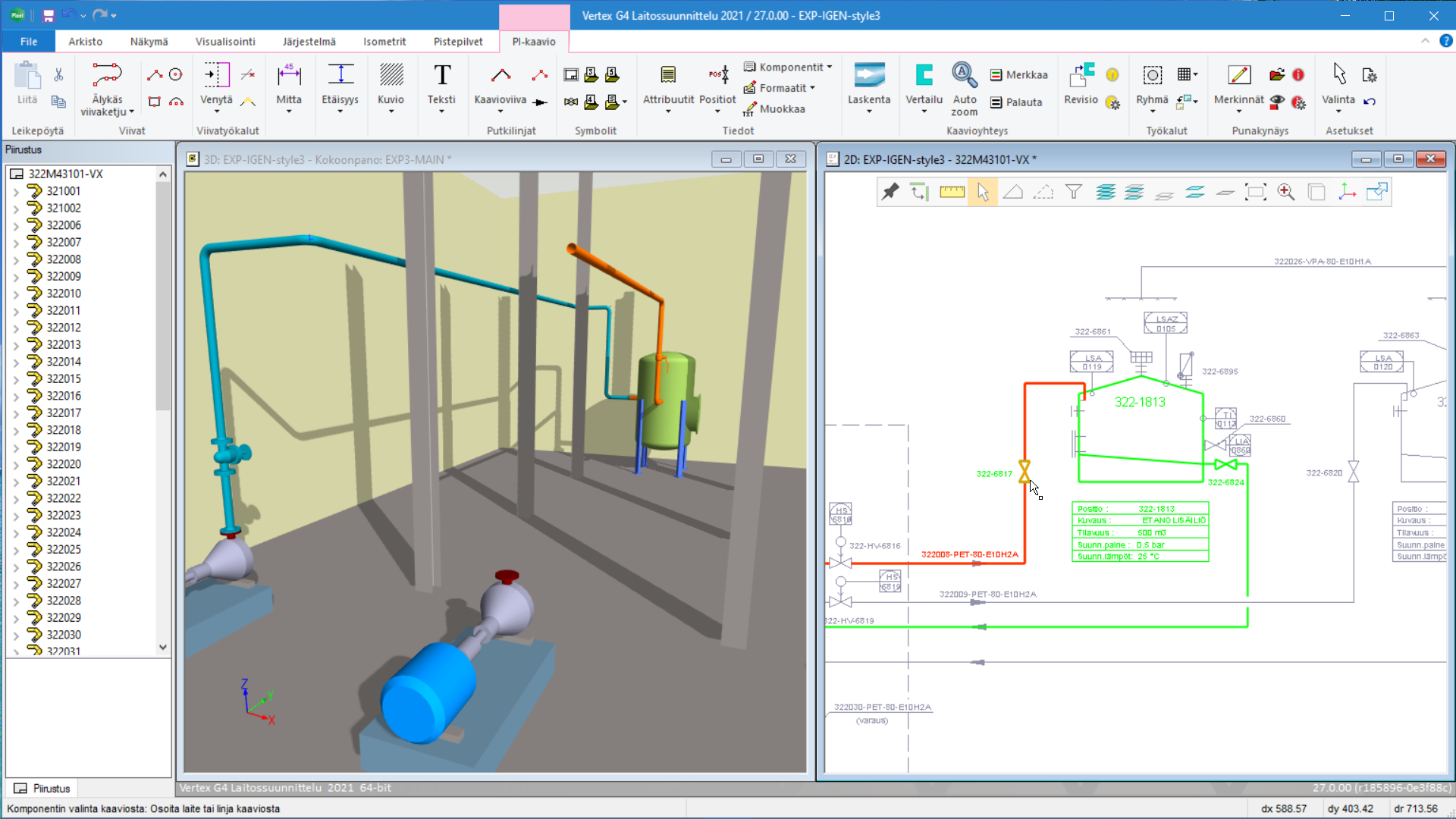
Leverage design data in process diagrams and the entire project directly in 3D piping design. As a piping designer, you can open a diagram alongside a plant model and extract locations as 3D components to be placed in the model. This way, the data between the model and the chart is consistent and up-to-date. The process designer is able to track the progress of pipeline modeling with a specific view. The position contents of the PI diagram and the plant model can be compared with each other and possible correction needs can be identified.
Decentralized design of plant project
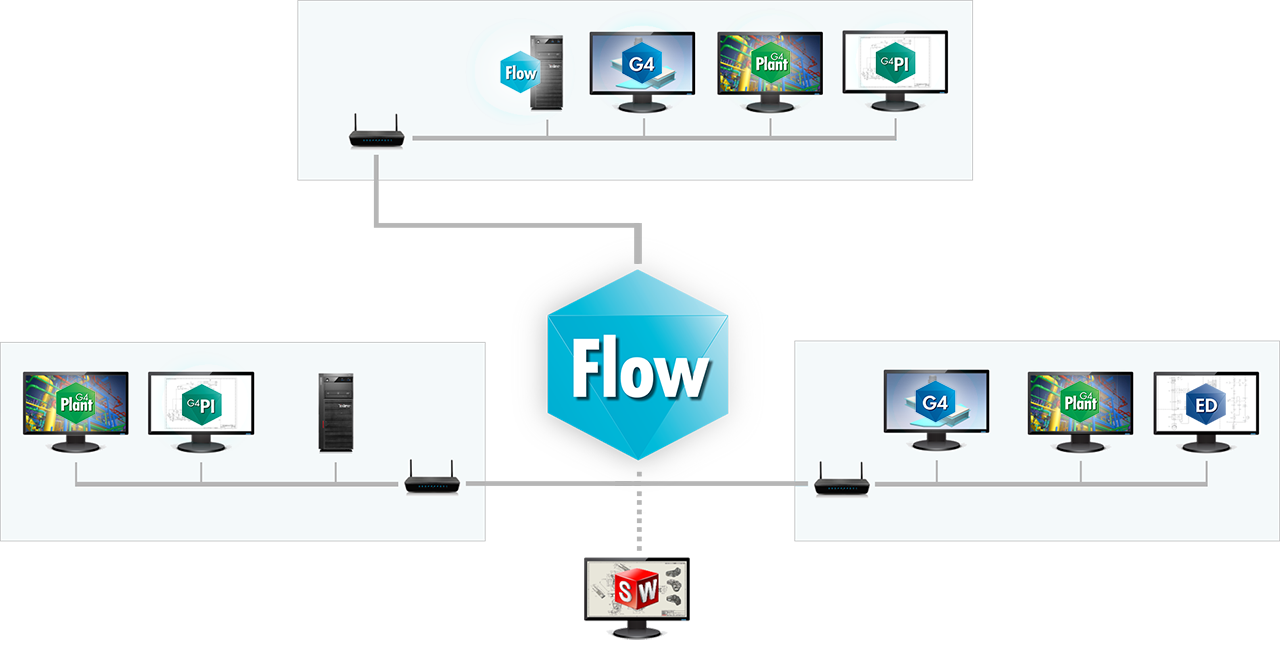
Vertex G4Plant software integrates with Vertex Flow product data management (PDM / PLM) software. In particular, this enhances decentralized design and the related information management of the plant project. In addition to the project organization, you can also allow your partners access to the latest and most up-to-date project information. In this way, collaboration between designers is effective regardless of location. With product data management, you can also get subcontract design up and running quickly and track its progress in real time.
FAQ – Vertex G4Plant
1. Who is Vertex G4Plant designed for, and what kind of design work does it support?
Vertex G4Plant is a Finnish-developed professional software for plant and piping design. It is built specifically for the process industry, machinery and equipment manufacturing, and large- scale plant projects that demand top-tier performance, seamless collaboration, and precise data management.
2. How does the software handle very large plant models and point clouds?
Vertex G4Plant excels at managing large projects — where competing software often struggles, Vertex keeps running. Thanks to a modern 3D graphics engine, it handles plant models exceeding 10 GB with ease. It also supports smooth processing of laser-scanned point clouds, and more than 100 designers can work simultaneously within the same 3D project.
3. How do P&ID diagrams and the 3D plant model interact?
The software offers seamless integration with Vertex G4PI design software. You can open a P&ID diagram alongside the 3D plant model and pick positions directly as components to be placed in the model. This ensures that the diagram and the 3D model data are always fully consistent. Process designers can also compare model and diagram data and immediately identify any discrepancies that require correction
4. What can be modelled in addition to piping?
Vertex G4Plant is a comprehensive tool for plant model design. In addition to piping, insulation, and pipe supports, it covers HVAC ducting, cable trays, steel structures (including stairs, access platforms, and profile structures), main equipment, and terrain. Conventional mechanical design is also supported within Vertex G4Plant. Everything happens within a single system, making overall project management both efficient and feasible in one environment.
5. How does the software support distributed design and subcontractor networks?
Information flow is a common challenge in plant projects. Vertex G4Plant integrates seamlessly with Vertex Flow product data management (PDM/PLM), which addresses this challenge directly. In addition to your own project organization, you can grant partners and subcontractors access to real-time project data, enabling efficient and secure collaboration regardless of location.
6. How does Vertex G4Plant streamline documentation for production and installation?
The software automates many routine tasks, automatically generating accurate isometric drawings, part lists, and other installation documents directly from the plant model. Its powerful specialised functions minimise human error in BOMs and significantly reduce design lead times.
7. Is it possible to try the software before making a purchase decision?
You can request a free trial licence through our website and evaluate the software yourself before committing to a purchase. You can also book a company-specific demo with one of our specialists.
8. What pipe classes and component libraries does Vertex G4Plant include as standard?
Vertex G4Plant comes with PSK pipe classes (Group 42) and an extensive piping component library, which we keep up to date and expand regularly. ANSI/ASME pipe classes are also available. You can easily add your own piping components to the pipe classes and libraries — individually or in bulk — using straightforward Excel-based tools.
9. How easily can I import existing plant data, for example when modernising an existing facility?
Vertex G4Plant supports multiple file formats, including IFC, STEP, DGN, and DWG (2D & 3D), allowing you to import reference data from other CAD applications as a basis for design. In addition to standard 3D file formats, Vertex G4Plant supports the import and export of laser- scanned point clouds. Supported point cloud formats include e57, PTS, PTX, LAS, LAZ, and XYZ. Point cloud-based design is standard practice among our customers.
10. How are software implementation, training, and licensing structured for large projects?
Vertex Systems’ project and customer service organisation supports your company through implementation with years of experience. The extensive built-in libraries in Vertex G4Plant keep implementation time short, allowing design work to begin quickly after initial training. Plant designers are typically trained over three days, after which full design work can commence. Our responsive support service is available to assist with any issues after go-live, often on the same day.